
- Buy Crypto
- Markets
 Futures
- Spot
- Copy Trade
- Earn
- More
How to Enable Two-Factor Authentication (2FA) on WEEX Exchange: A Step-by-Step Guide

To enhance the security of your account, enabling Two-Factor Authentication (2FA) on WEEX is essential. This additional layer of protection ensures that only you can access your account, providing extra security during transactions and withdrawals.
Why 2FA is Important on WEEX
2FA adds a second level of security by requiring a code generated on your mobile device (via an authenticator app like Google Authenticator or Authy) in addition to your password. It prevents unauthorized access, even if your password is compromised.
Step-by-Step Guide to Setting Up 2FA on WEEX
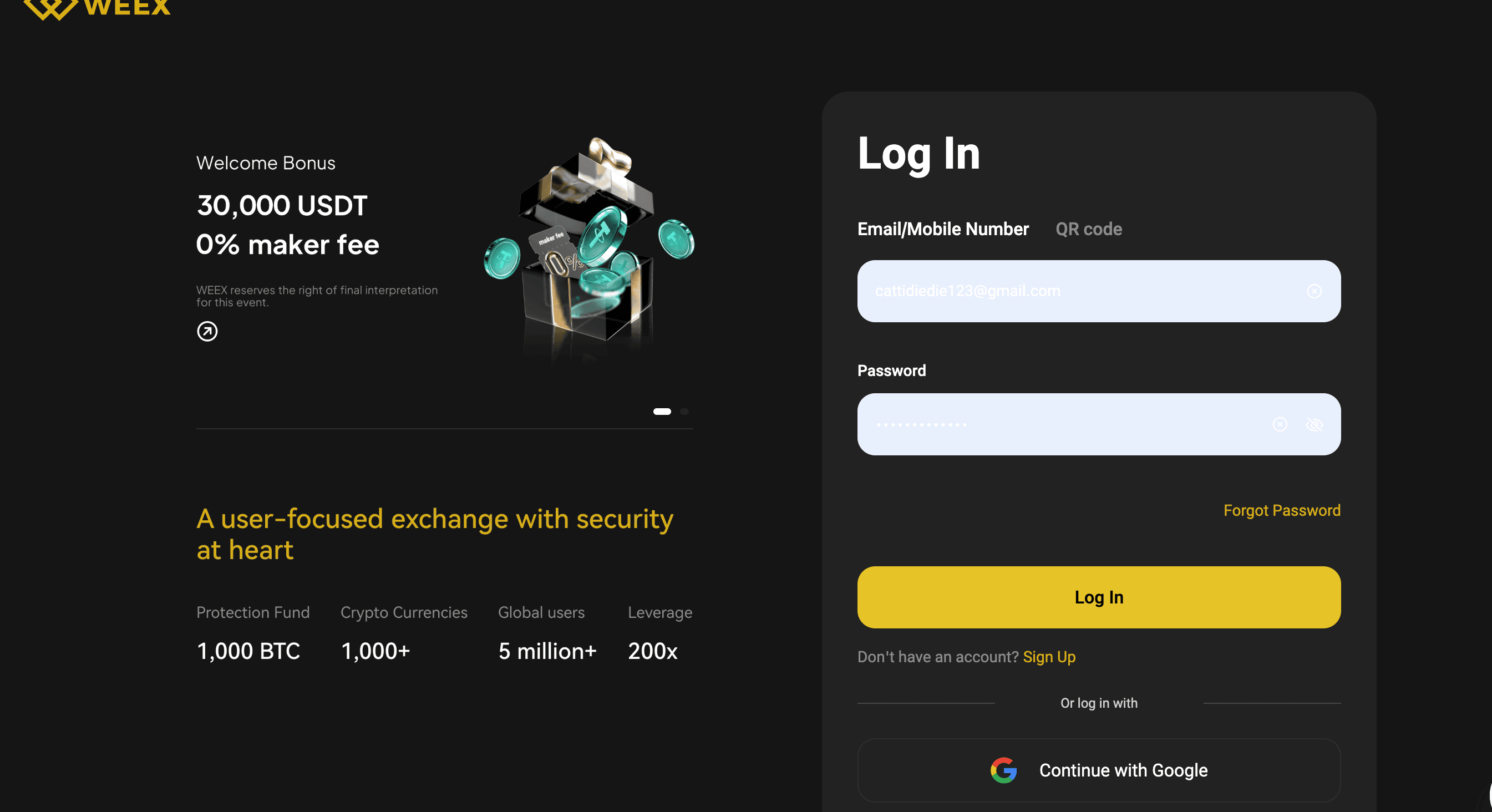
Step 1: Log in to Your WEEX Account
Visit the official WEEX Exchange website and log in to your account using your credentials. Ensure you’re on the official website to avoid phishing scams.
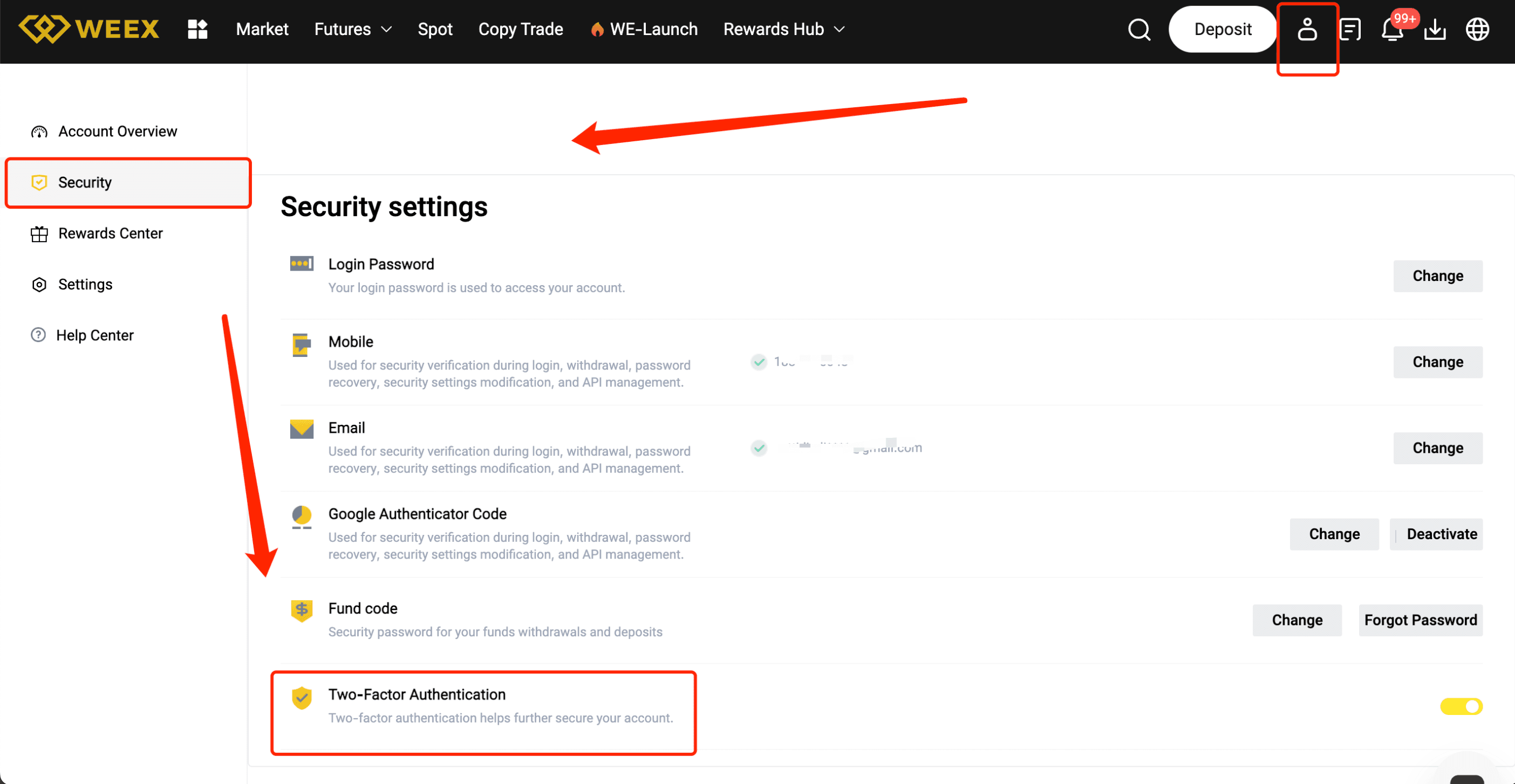
Step 2: Access Account Settings
Once logged in, navigate to your profile settings by clicking your avatar or username in the top right corner. Select “Security Settings” or “2FA Settings” from the dropdown menu.
Step 3: Choose Your 2FA Method
You will be presented with several options for enabling 2FA. The most common method is to use an authenticator app. Choose “Enable 2FA via App” (e.g., Google Authenticator or Authy).
Step 4: Scan the QR Code
Open your chosen authenticator app and select “Add Account” or “Scan QR Code.” Use the app to scan the QR code displayed on the WEEX website. This will link your account to the app.
Step 5: Enter the Verification Code
Once the QR code is scanned, the authenticator app will generate a 6-digit code. Enter this code into the WEEX website to verify and complete the setup.
Step 6: Backup Codes
After completing the 2FA setup, WEEX will provide backup codes. Write these codes down and store them in a secure place, as they can be used to access your account if you lose access to your authenticator app.
Step 7: Confirm and Finalize
Double-check the details, then click on “Confirm” or “Activate.” Your 2FA will now be enabled, adding an extra layer of security to your account.
Pro Tips for a Smooth 2FA Setup
- Use a reliable authenticator app like Google Authenticator or Authy.
- Save your backup codes securely in case you lose access to your device.
- Ensure your mobile device is secure by using a strong PIN or password.
- Don’t share your 2FA codes with anyone—it's for your protection.
Benefits of Completing 2FA on WEEX
- Enhanced Security: Protect your account from unauthorized access with an additional verification layer.
- Higher Trust: Increase trust in your account and activities by showing that you've taken steps to secure your funds.
- Safer Trading: With 2FA enabled, your trades and withdrawals are protected from unauthorized actions.
Conclusion
Enabling 2FA on WEEX is a simple yet powerful way to secure your account and protect your funds. By following this guide, you ensure your account is safeguarded with an added layer of security. Don’t wait—enable 2FA today for peace of mind while trading!
You may also like

Where and How to Buy Arsenal Fan Token (AFC)
Arsenal Fan Token (AFC) just hit a new milestone with its listing on WEEX exchange, where AFC/USDT trading…
What is Arsenal Fan Token (AFC) Coin?
The Arsenal Fan Token (AFC) is officially the fan token for Arsenal FC, a renowned football club from…

EDGE USDT Premiere on WEEX: edgeX (EDGE) Coin Debuts Mar 20
According to CoinMarketCap data, edgeX (EDGE) has surged 68.80% in the past 24 hours, reaching $0.678286 with a…
ATLA Crypto Guide: Price Outlook and Trading Challenge Perks
With the crypto market buzzing in early 2026, ATLA has emerged as a token drawing attention from traders…
AFC USDT Pair Launches on WEEX: Arsenal Fan Token (AFC) Listing
As a seasoned crypto trader who’s followed fan tokens since their rise, I’m excited about Arsenal Fan Token…

Is Arsenal Fan Token (AFC) a Good Investment?
Arsenal Fan Token (AFC) has caught fresh attention with its recent listing on WEEX exchange, where AFC/USDT trading…

What is edgeX (EDGE) Coin?
The cryptocurrency landscape is continually evolving, with new innovations regularly emerging. Recently, the token pair EDGE/USDT was newly…
Where and How to Buy edgeX (EDGE) Coin: Complete Guide
edgeX (EDGE) has caught attention in the crypto world with its recent global exclusive first launch on WEEX,…
Is edgeX (EDGE) Coin a Good Investment?
edgeX (EDGE) has grabbed attention in the crypto space with its recent listing on WEEX Exchange as a…

edgeX (EDGE) Coin Price Prediction & Forecasts for March 2026: Surging 68.8% in 24 Hours – Can It Maintain the Momentum?
As of March 20, 2026, the current price of edgeX (EDGE) Coin stands at $0.678286 USD, marking a…

Arsenal Fan Token (AFC) Price Prediction & Forecasts for March 2026: Up 8.61% as Fan Engagement Drives Momentum
Arsenal Fan Token (AFC) has seen a solid boost lately, climbing 8.61% in the last 24 hours to…
Is AC Milan Fan Token (ACM) Coin a Good Investment?
AC Milan Fan Token (ACM) Coin has caught fresh attention with its recent listing on WEEX Exchange, where…
Where and How to Buy AC Milan Fan Token (ACM) in 2026
AC Milan Fan Token (ACM) has seen fresh momentum with its recent listing on WEEX Exchange, where ACM/USDT…

What is AC Milan Fan Token (ACM) Coin?
With the excitement of a brand new listing buzzing in the crypto air, the AC Milan Fan Token…

ACM USDT Trading Debuts on WEEX with AC Milan Fan Token (ACM)
WEEX Exchange has officially listed AC Milan Fan Token (ACM), bringing fans closer to their favorite club through…
AC Milan Fan Token (ACM) Price Prediction & Forecasts for March 2026: Riding the Wave of Fan Engagement with a 2% Daily Gain
AC Milan Fan Token (ACM) has been turning heads lately, especially with its recent listing on platforms like…

Maximize Your Profits with WEEX Futures Trading Trade-to-Earn Series
Join WEEX Futures Trading Trade-to-Earn campaign from March 9–31, 2026. Earn up to 40% real-time rebates, level up your miner status, claim WXT rewards, and boost earnings with referrals.
Unlock Maximum Rewards in WEEX Futures Trading Trade-to-Earn Series
Participate in WEEX Futures Trading Trade-to-Earn campaign from March 9–31, 2026. Earn up to 40% real-time rebates, level up your miner status, invite friends, and claim WXT rewards instantly.
Where and How to Buy Arsenal Fan Token (AFC)
Arsenal Fan Token (AFC) just hit a new milestone with its listing on WEEX exchange, where AFC/USDT trading…
What is Arsenal Fan Token (AFC) Coin?
The Arsenal Fan Token (AFC) is officially the fan token for Arsenal FC, a renowned football club from…
EDGE USDT Premiere on WEEX: edgeX (EDGE) Coin Debuts Mar 20
According to CoinMarketCap data, edgeX (EDGE) has surged 68.80% in the past 24 hours, reaching $0.678286 with a…
ATLA Crypto Guide: Price Outlook and Trading Challenge Perks
With the crypto market buzzing in early 2026, ATLA has emerged as a token drawing attention from traders…
AFC USDT Pair Launches on WEEX: Arsenal Fan Token (AFC) Listing
As a seasoned crypto trader who’s followed fan tokens since their rise, I’m excited about Arsenal Fan Token…
Is Arsenal Fan Token (AFC) a Good Investment?
Arsenal Fan Token (AFC) has caught fresh attention with its recent listing on WEEX exchange, where AFC/USDT trading…


 App
App